System overview
The Digital Slide Archive is typically installed either on a single computer or on one main computer with one or more worker machines that run image algorithms invoked through HistomicsUI or the API. There are additional options, such as hosting the database externally, but these are uncommon.
Single computer setup
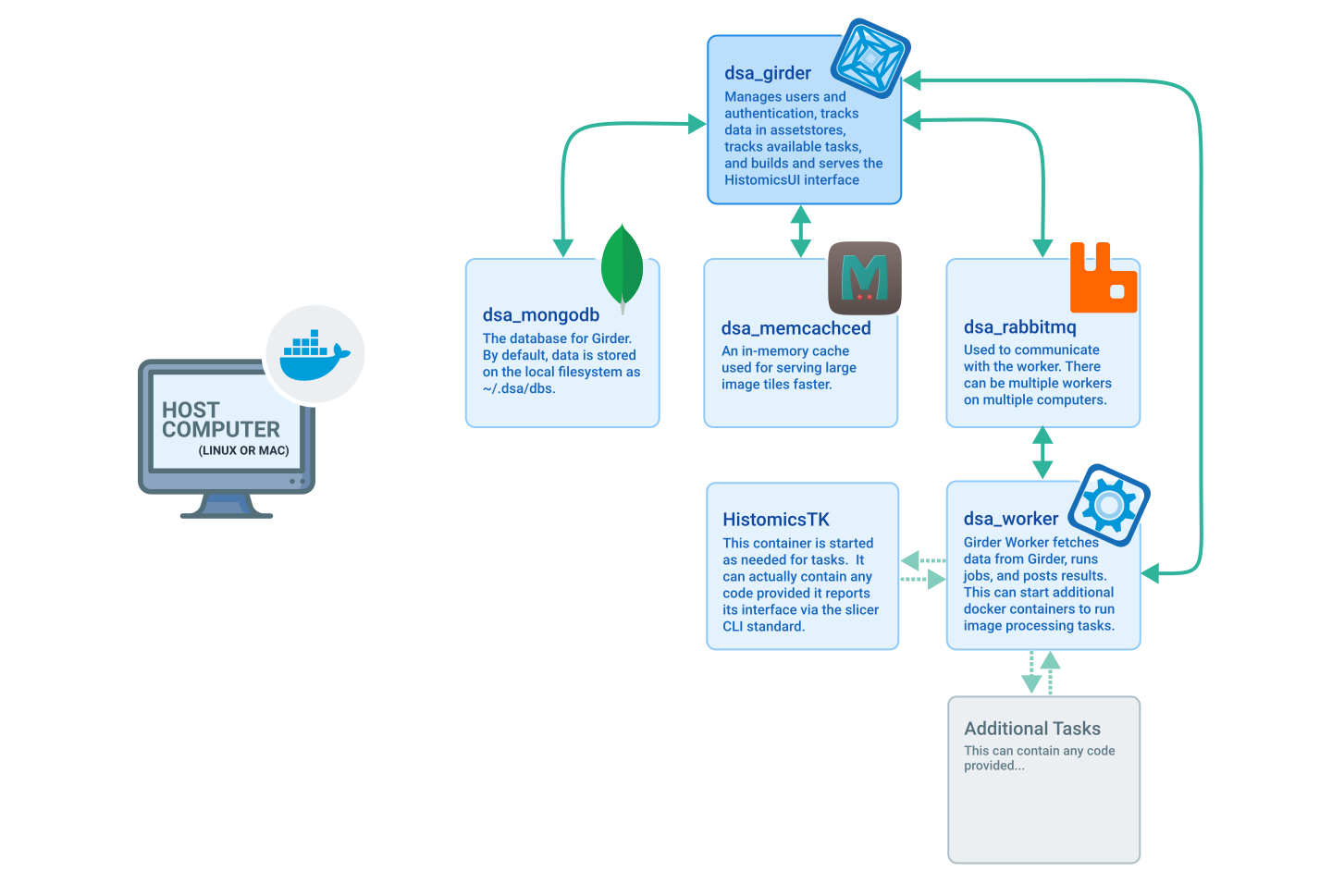
The default installation runs on a single computer. This is the simplest way to deploy DSA, though image analysis tasks are limited by the processing power of one system.
Image and other data files, the database, and log files are all stored on the local filesystem. Data files can also be stored in or imported from external assetstores such as Amazon S3.
When docker compose is used with the default docker-compose.yml in
devops/dsa, five containers provide the services DSA needs. When an image
analysis task runs through HistomicsUI or the API — for example, detecting
nuclei on a whole-slide image with HistomicsTK — an additional container is
created for the task. That container exists only as long as the task needs it.
Results are stored back to the database and file assetstore.
Distributed workers setup
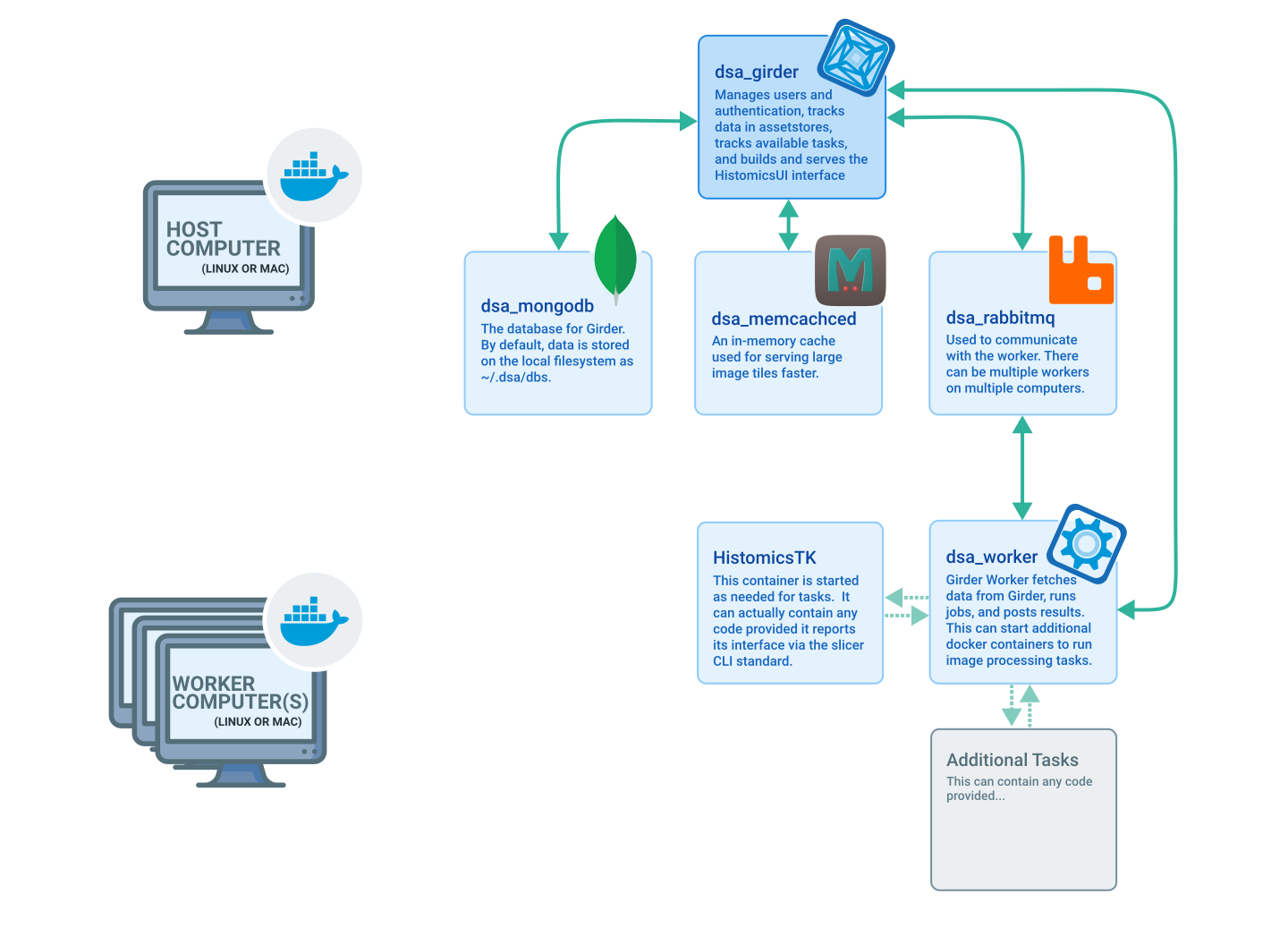
To expand computing power and accelerate image analysis, DSA can run on one main computer with any number of worker machines.
Image and other data files, the database, and log files are stored on the main computer's local filesystem, as in the single-computer configuration. Data files can also be stored in or imported from external assetstores such as Amazon S3.
To start in this mode, see the instructions in the
devops/external-worker
directory. Workers can be started or stopped at any time. For example, you can
add workers while running many tasks and stop them when they are no longer
needed. If a shared network filesystem is used, appropriate mount commands can
be added as additional options to both the main computer and the worker
commands; this can substantially reduce network traffic.
On the main computer, four containers provide most of the services DSA needs. On each worker, one container starts initially. When an image analysis task runs, an additional container is created on the worker for the duration of the task. Results are stored back to the database and file assetstore.
With multiple workers, each worker receives tasks in turn until all are busy. As workers finish, they receive new tasks. If a worker stops or loses connectivity with a partially completed task, the task is reassigned to another available worker. Worker computers do not need to be identical; faster workers process more tasks than slower ones.
Related
Source and version
This page is adapted from the existing
docs/system-overview/
page in the upstream DSA repository.