Create a folder
Folders organize slides and other data inside a collection, or inside your personal space. This tutorial creates one and checks that it is in the right place.
Before you start
- You are signed in. If not, start with Connect to a DSA server.
- You have write access to the parent location. If you can see a folder but not change it, you have read access only.
You can create a folder in three places:
| Parent | How to get there | Typical use |
|---|---|---|
| My folders | Menu under your login name | Scratch space that belongs to you. |
| A collection | Collections in the top navigation | Shared project data. |
| An existing folder | Navigate down the folder tree | Subfolders for cases, stains, or batches. |
1. Open the parent location
Navigate to where the new folder should live. Use the breadcrumb at the top of the page to confirm you are in the right place. For example:
Creating a folder inside the wrong parent is the most common mistake, so check the breadcrumb before you continue.
2. Open the folder actions menu
At the right end of the action bar above the file list, select the icon-only menu button marked with a small triangle. The icon matches the location: a folder on a folder page, a sitemap on a collection page, or a person in your personal space. Hovering over it shows a tooltip such as folder actions or collection actions. The menu entries you need are the same in all three.
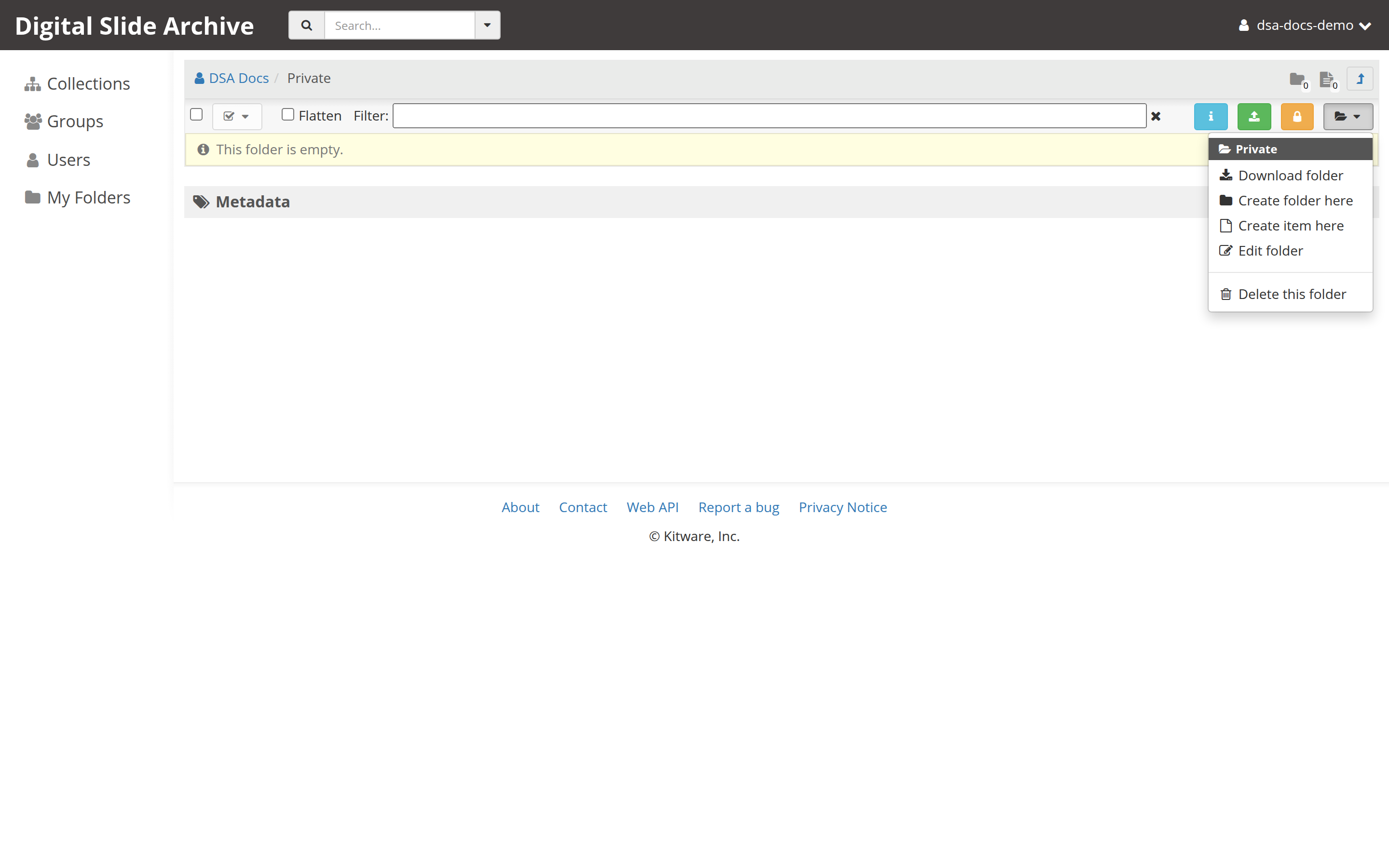
The menu shows the current location's name at the top and then actions such as:
- Create folder here
- Create item here (folders only)
- Edit folder / Edit collection
- Delete this folder / Delete this collection
If Create folder here is missing, you do not have write access to this location.
3. Choose "Create folder here"
The Create folder dialog opens with two fields:
- Name — required. Use a short, stable name such as
2026-11-batch-01. - Description (optional) — free text for humans. Not used for access control.
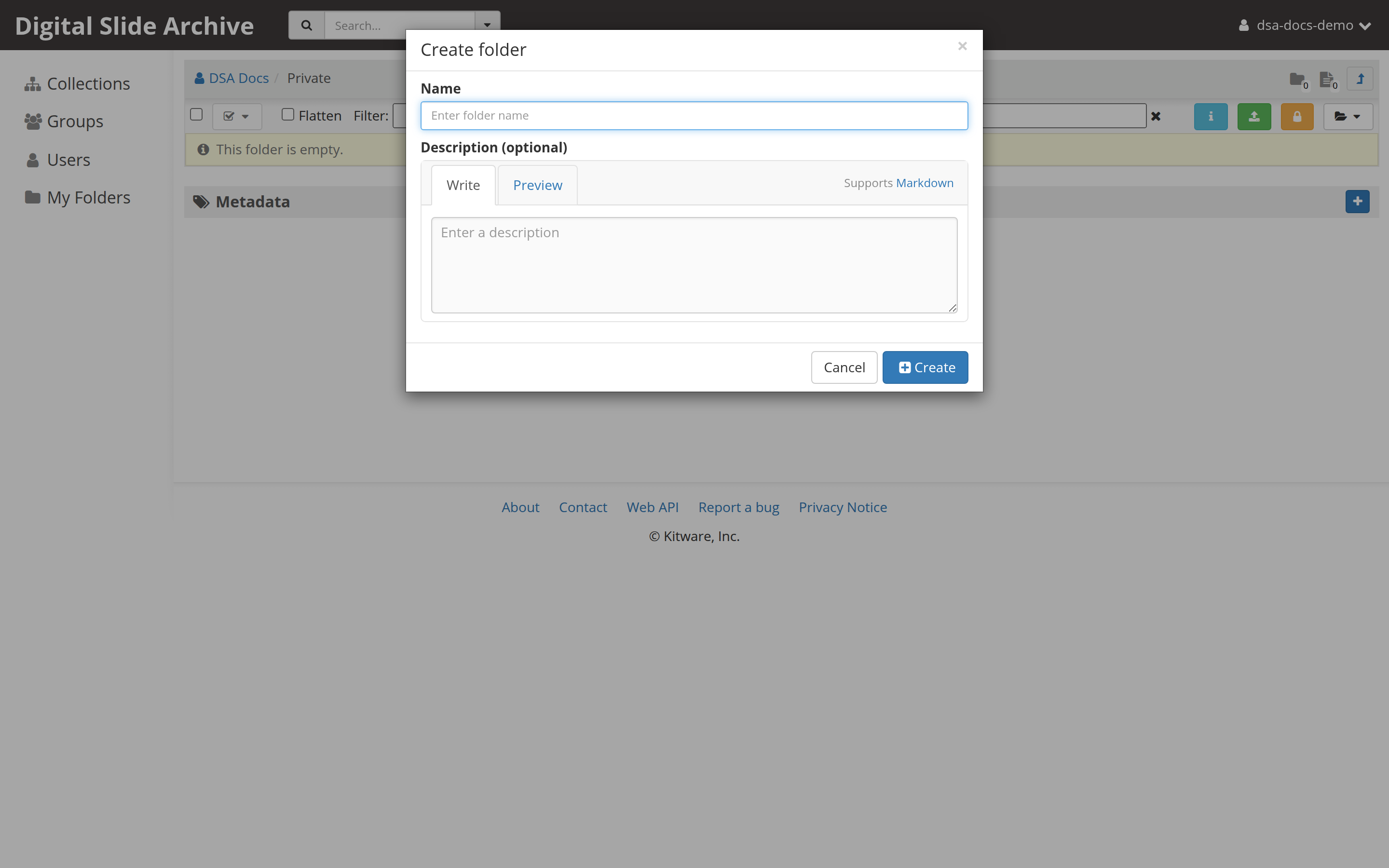
Folder names do not have to be unique, so two folders in the same parent may share a name. Pick a naming convention and keep it; future you will thank you.
4. Create the folder
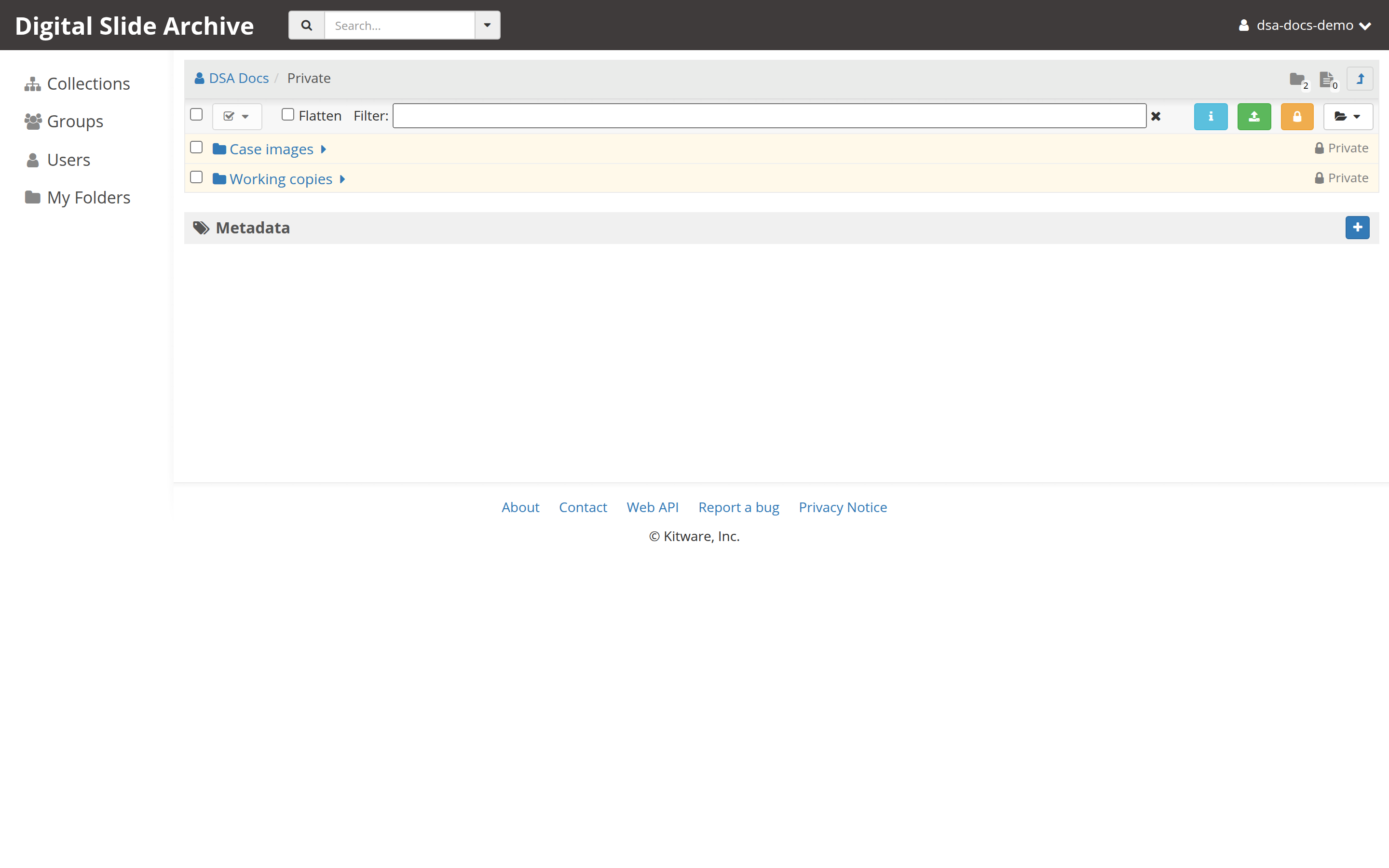
Select Create. The dialog closes and the folder appears in the list. Its row has a folder icon and, like other folders, can be opened by name.
5. Verify the result
- The new folder is listed in the parent you opened.
- Selecting it changes the breadcrumb, for example to
Collections / Demo / Kidney cases / 2026-11-batch-01. - The browser address changes to a
#folder/<id>route.
Select the folder actions menu again; Edit folder should now be available, which confirms you can write to it.
What the folder does and does not do
- A new folder inherits nothing automatically from its parent except that it sits inside it. Access is controlled by the parent's permissions and any access you set on the folder itself.
- An empty folder is valid. You can upload slides into it now, or create subfolders first. See Upload and view your first slide.
- Folders are containers, not files. A slide is an item inside a folder.
Troubleshooting
| Symptom | Likely cause | Fix |
|---|---|---|
| There is no Create folder here entry | You have read access only | Ask the owner for write access, or create the folder in My folders. |
| The Create button stays disabled | Name is empty | Enter a name. |
| The folder was created somewhere unexpected | Wrong parent | Open the folder, use Edit folder to rename it, then copy or move it to the right parent. |
| Two folders in the same parent have the same name | Duplicate names are allowed | Rename one with Edit folder, or adopt a naming convention that keeps them distinct. |
| You cannot see a folder you just created | The page still shows a cached list | Reload the page. |
Next
Verified status
Live-tested on 2026-11-01 against https://pub-data.bdsa.io/ (Girder API
5.0.20.dev2+ge191b30e7) with a signed-in test account and headless Chromium.
Created two folders in My folders, confirmed both appeared in the parent
list, and opened them by name. The screenshots above come from that run. The
labels also match the Girder 3.x-maintenance source at
71e5fba.